AI Patient Summary | CloudMedico Documentation
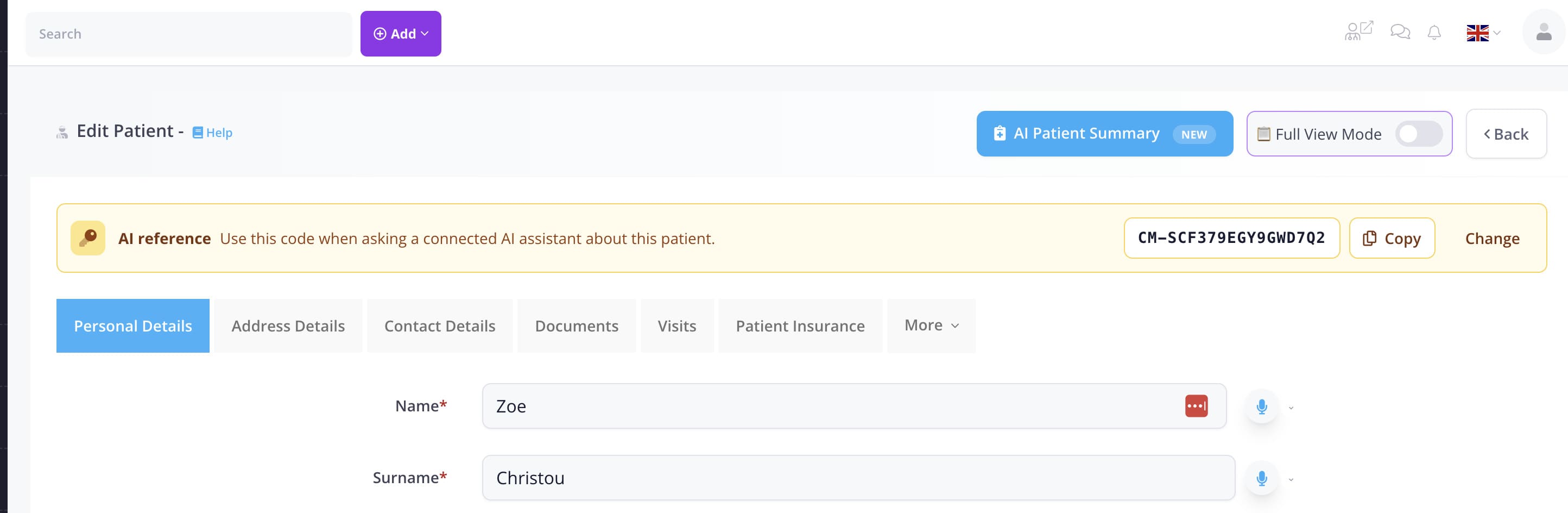
AI Patient Summary prepares a concise factual overview of recorded patient information to help you prepare for care. It is available from Patient, Appointment, and Visit screens and is not saved automatically.
What the summary uses
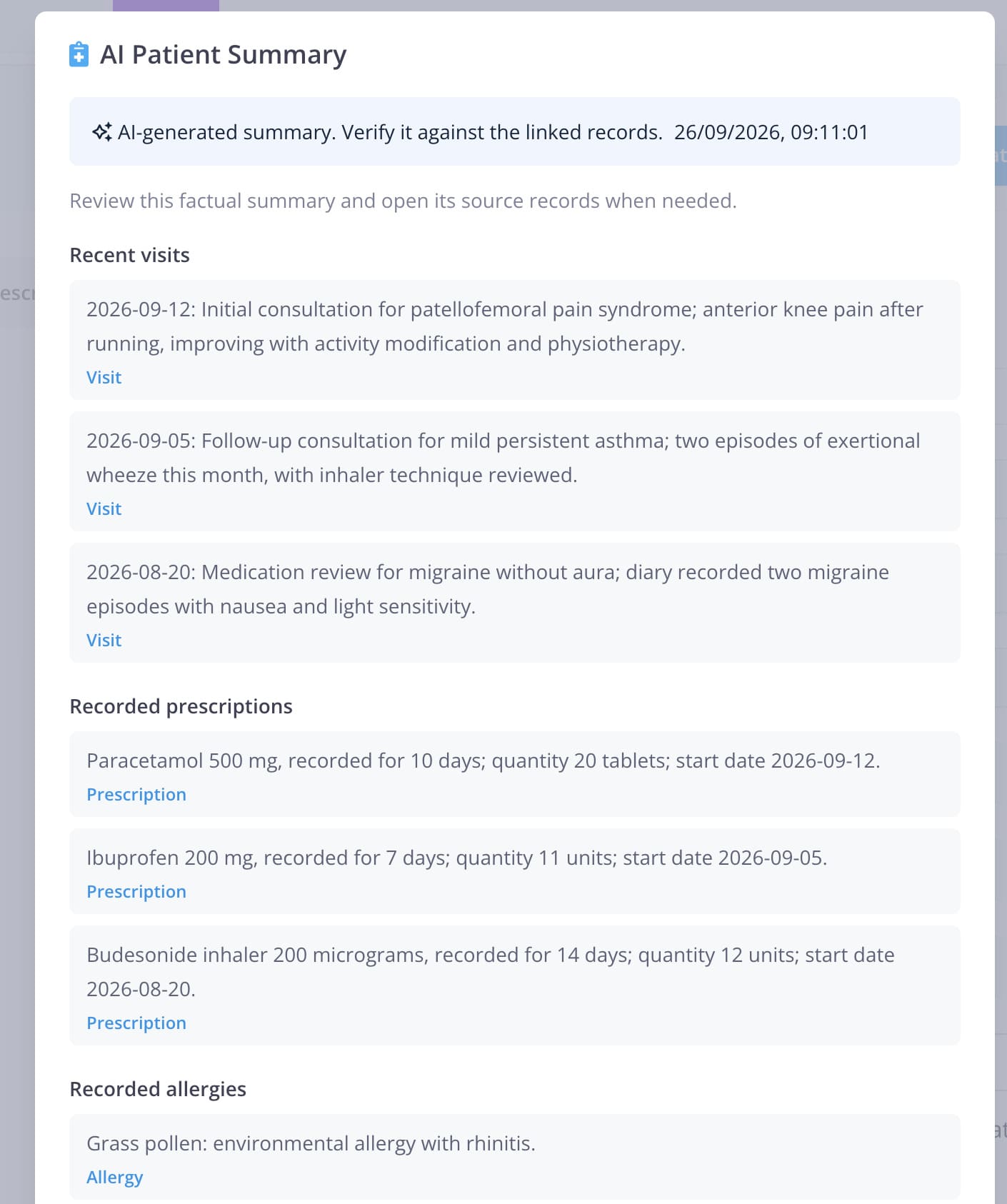
The summary uses only recorded information that you are allowed to access. Depending on the patient's record and your permissions, it can include recent Visits, prescriptions, allergies, conditions, exams and procedures, surgeries, discharges, and recent or upcoming appointments.
A patient assigned to a doctor is visible only to users who can access that patient. Opening an Appointment or Visit does not grant separate Patient access, so the summary button follows the same patient-visibility rule.
Generate a summary
Open the relevant Patient, Appointment, or Visit and select AI Patient Summary. Read the notice, confirm that AI can make mistakes and that you must review the generated information, then select Generate summary.
The summary is prepared for the current screen only. It does not create a clinical note, change a patient record, or replace your clinical assessment.
Review source records
Review the factual summary before using it. Each item links to its source Visit, prescription, allergy, condition, exam, or appointment. Source links open in a new browser tab so you can verify the record without losing the summary.
If a category is absent, it may mean there are no eligible recorded items in the selected period or that you do not have permission to view that category. Do not infer that a condition, allergy, or other record does not exist from an empty section.
Safety and privacy
AI Patient Summary can make mistakes, omit information, or present a recorded fact without all its context. It is not medical advice and does not make diagnoses or treatment recommendations. The clinician must check the generated information against the linked source records before relying on it.
Use Generate again when the underlying record has changed or you need a fresh summary. The previous result is not stored automatically by this feature.